Receipticle: AI-built web app
Role
Designer, product owner, and developer
Stack
Claude Code
GitHub
Vercel
Upstash Redis
Year
2026
The problem I was solving
My partner and I track shared expenses through a basic Google Sheet. It works, but involves manual entry, category matching, and the kind of tedious reconciliation that makes you wonder why you're a designer if you can't fix your own problems. Existing apps like Splitwise either lacked the features we needed or were full of features we didn't. I wanted something minimal, fast, and built for our workflow. So I built it.
Why I built it myself
This project started as a deliberate skills investment. I'd been using AI tools in my design work, but I wanted to understand what they could actually do under the pressure of a real problem I cared about solving. The goal wasn't the app. It was finding out how far I could get on my own.
The process
I built Receipticle using Claude Code as my primary build tool, with GitHub for version control and Vercel for deployment. The entire app lives in a single HTML file, with Upstash Redis handling persistent storage across users. There was no developer, no handoff, and no design-to-dev translation layer — just me describing what I wanted and iterating on what came back.
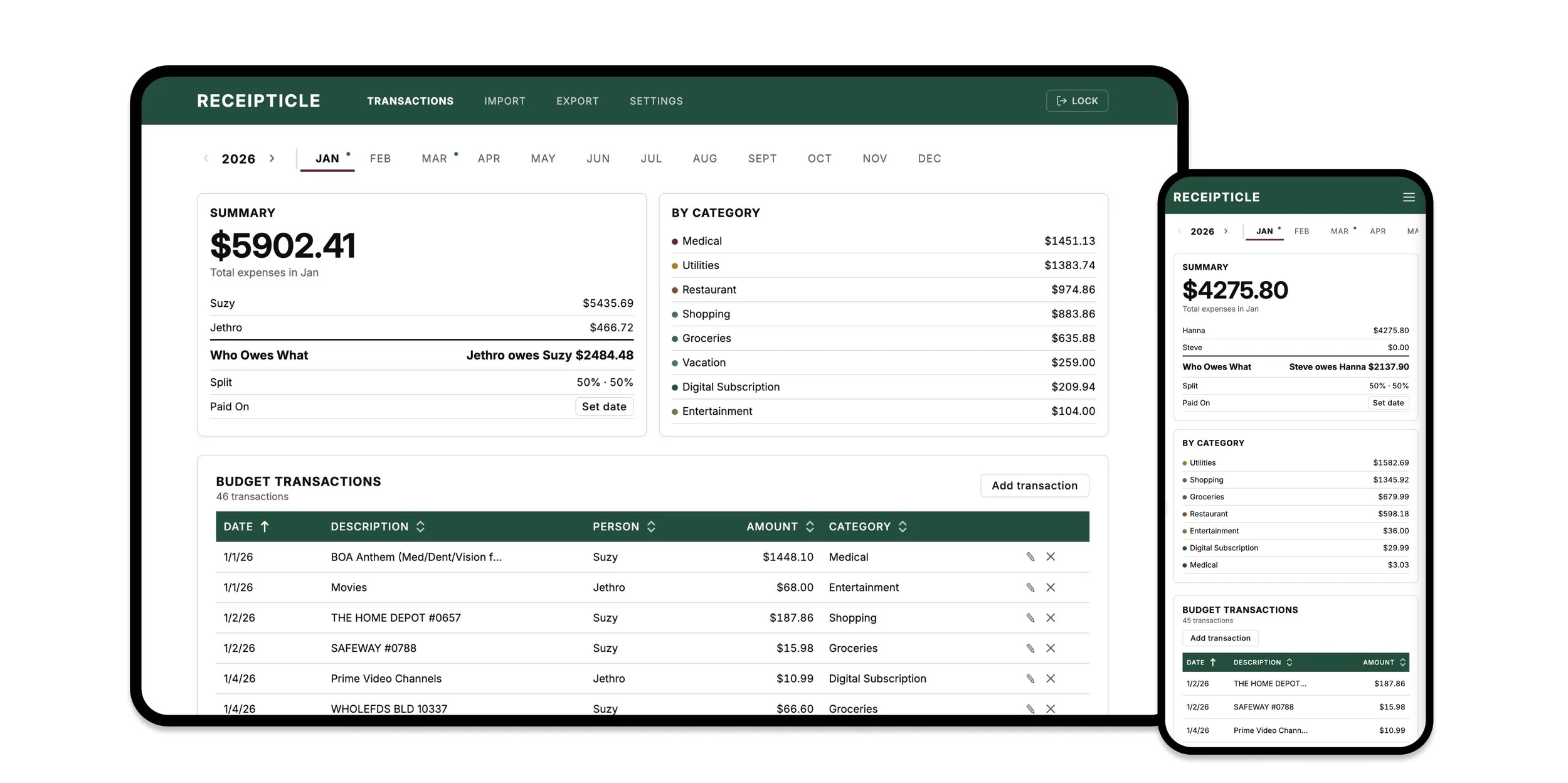
The design process felt familiar in some ways and completely different in others. I still made the same kinds of decisions I make in any product work: what belongs on this screen, what the hierarchy should be, where the user is in their flow, what happens when something goes wrong. But instead of working in Figma and handing off specs, I was directing a build in real time. I produced a working, deployed product in under a week with roughly 160 prompts — covering everything from multi-tab architecture and edit modals to typography choices, accessibility fixes on the nav and error handling.
One thing I learned quickly: AI tools are linear. You describe a change, you get one result. For functional work that's fine, but for visual exploration it's slow and hard to evaluate. My workaround was to use Figma for layout variations and icon creation — sketch the direction, then bring that intent into the prompt. It kept the build moving without sacrificing design quality, and it's the piece of advice I'd give any designer starting out with these tools.
What I built
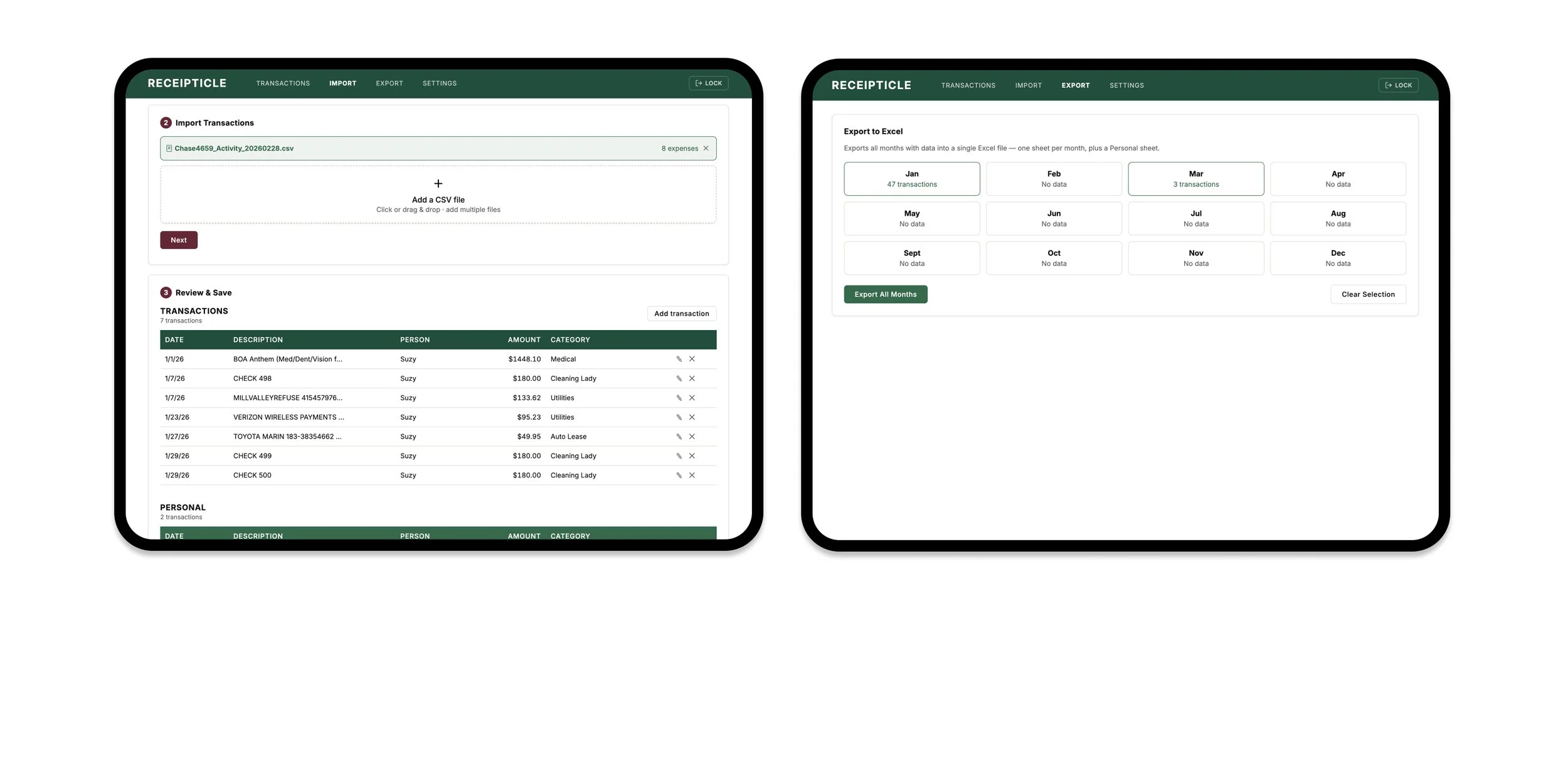
Receipticle is a multi-tab web app with CSV import, expense categorization, a custom split calculator, per-person settlement tracking, and a settings page for managing categories and user preferences. It handles both shared and personal expenses, exports to Excel, and works across devices. The features were driven entirely by our actual workflow — nothing was added speculatively. When Claude over-engineered something, I caught it and pulled back.
What it taught me
The biggest shift has been about ownership. I no longer need to rely on tech to bring my vision to life. It turns out the skills that make a good designer — knowing what belongs on the screen, when something is finished, and how to communicate intent precisely — make an equally good AI collaborator.
What's next
As I use Receipticle more at my desk, mobile optimization is the natural next step — with a focused feature set built around on-the-go use cases rather than a straight port of the desktop experience.
Two early testers requested receipt scanning, which isn't part of my own workflow but points to a broader use case worth exploring. The app is also currently built for two people — whether that should expand to support roommates or small groups is a hypothesis I'd want to test before building toward it.
Try it out at: https://receipticle.vercel.app/ - use phrase Hernameisrio